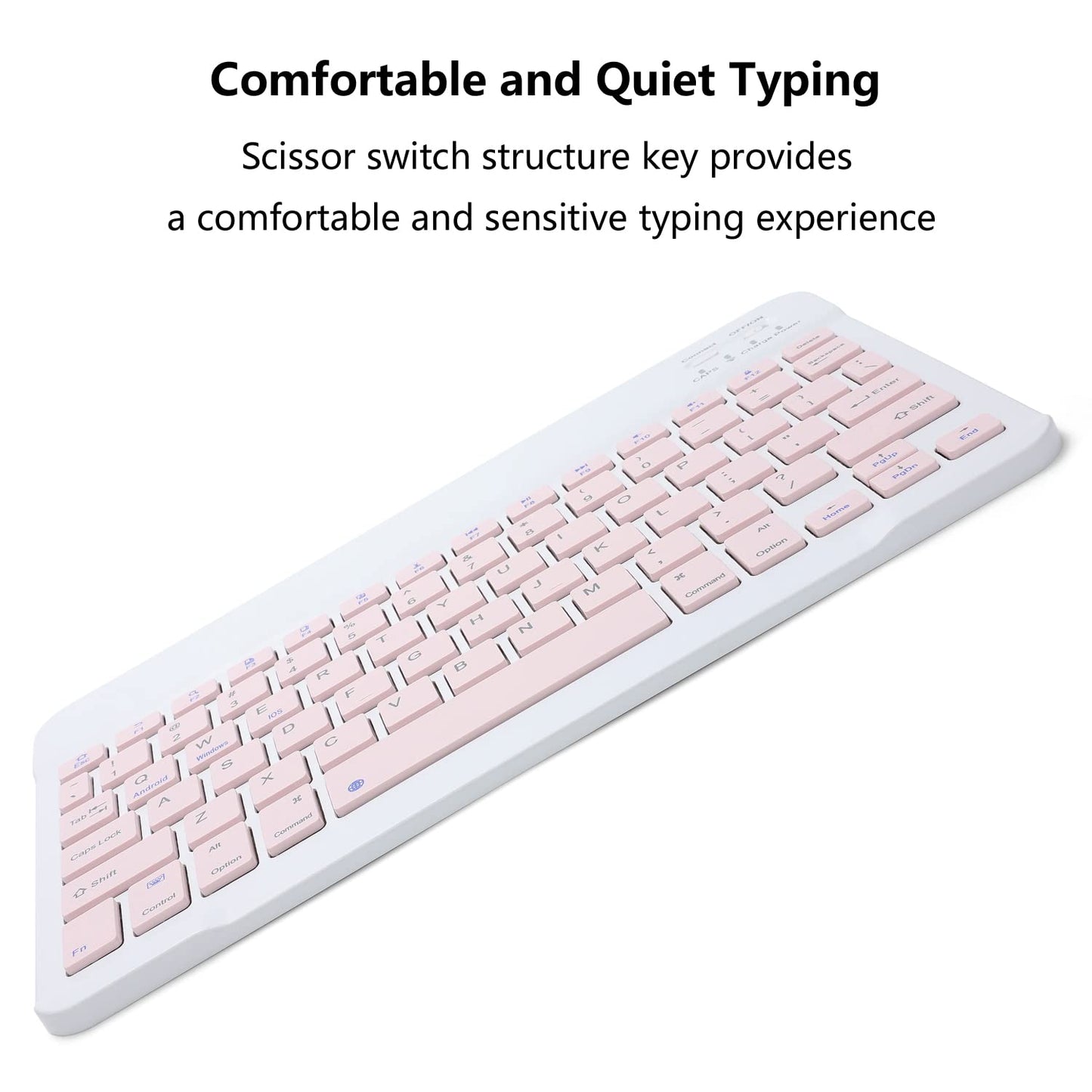


Rechargeable Bluetooth Keyboard and Mouse Combo for iPad, Ultra-Slim Portable Wireless Mouse Keyboard for iPad Pro Air Mini iPhone Samsung Tablet Cell Phone Android, iPadOS/iOS 13 and Above (Pink)
Offres disponibles
Payez en toute sécurité, facilement et de manière flexible avec PayPal Later et Klarna
Tous les achats sont protégés par la Protection des Acheteurs PayPal .
Livraison gratuite dans tous les pays de l'UE
All products are shipped from our 🇩🇪 Germany and 🇪🇸 Spain Warehouses


Impossible de charger la disponibilité du service de retrait
- Livraison GRATUITE en 3 à 7 jours
- Politique de retour de 30 jours
- Service client 24h/24 et 7j/7
- Garantie Premium Jusqu'à 2 ans
- 256 Bit SSL Certificate
- Paypal & Klarna Buyer Protection
- 100% Original Products
- Best Price
À propos du produit
Bluetooth Keyboard Edition: Bluetooth 5.0
Bluetooth Mouse Edition: Bluetooth 5.2
Keyboard Dimensions: 9.75 X 5.91 X 0.25 inches
Keyboard Weight: 6.56 ounces
Mouse Dimensions: 4.53 X 2.36 X 1.14 inches
Mouse Weight: 1.98 ounces
Operating Range: Up to 33 ft/ 10 meters
Keys Number of Keyboard: 78 Keys
Charging Time: 2-3 hours
The keyboard only supports Bluetooth connection
How to connect keyboard:
1: Turn on power ON/OFF switch.
2: Press CONNECT, the Bluetooth indicator will blinking.
3: Then turn on the Bluetooth switch of your tablet or mobile phone, and search for Bluetooth keyboard.
4: Choose the “Bluetooth Keyboard” on tablet or phone, then press to connect.
The mouse supports Bluetooth and 2.4GHz USB connection
Note: The Bluetooth Mouse only compatible with iPad OS/iOS 13 and above. So you need to update the system of your iPad and iPhone to iPad OS/iOS 13 and above, and turn on “Assistive Touch”: Setting> Accessibility> Touch> Assistive Touch, then connect the mouse.
How to connect Bluetooth mouse:
1: Turn on the power ON/OFF, switch to Bluetooth.
2: Then Turn on the Bluetooth switch of your tablet or mobile phone, and search for Bluetooth mouse.
3: Click the Bluetooth mouse on tablet or phone to connect.
How to connect 2.4GHz USB mouse:
1: Turn on the power ON/OFF, switch to 2.4G.
2: Then insert the USB receiver into the USB port of the notebook or computer, and then you can use it.
Package Included:
1x Bluetooth Keyboard
1x Dual Mode Mouse (Bluetooth+2.4GHz)
1x USB-C Charging Cable
Warranty: 18 months warranty, and our friendly customer service.
Expédition et retour
La livraison est GRATUITE pour toutes les commandes.
Délai de traitement : 2 à 48 heures (Full Line doit traiter votre commande et soumettre tous vos articles à des tests de contrôle qualité stricts.)
Les commandes sont livrées à nos clients sous 3 à 5 jours environ, uniquement par coursier privé. Notre équipe dédiée assure un traitement rapide et vous tiendra informé(e) de l'évolution de votre commande par SMS, e-mail et WhatsApp.
Tous nos produits sont expédiés depuis nos entrepôts en Europe : Espagne, France, Allemagne et Royaume-Uni.
Garantie de retour
Pour quelque raison que ce soit, si vous n'êtes pas satisfait de votre commande dans les 30 jours, vous pouvez nous la retourner dans un état neuf.
Garantie DOA
Si votre article arrive endommagé, veuillez nous contacter dans les 5 jours et fournir une preuve claire et valable. Full Line vous indemnisera en fonction des dommages.
Garantie des articles manquants/erronés
Si vous recevez un colis dont l'emballage est manquant, incorrect ou secondaire, veuillez nous contacter dans les 5 jours suivant la livraison et fournir les justificatifs nécessaires. Full Line vous indemnisera en fonction des dommages.