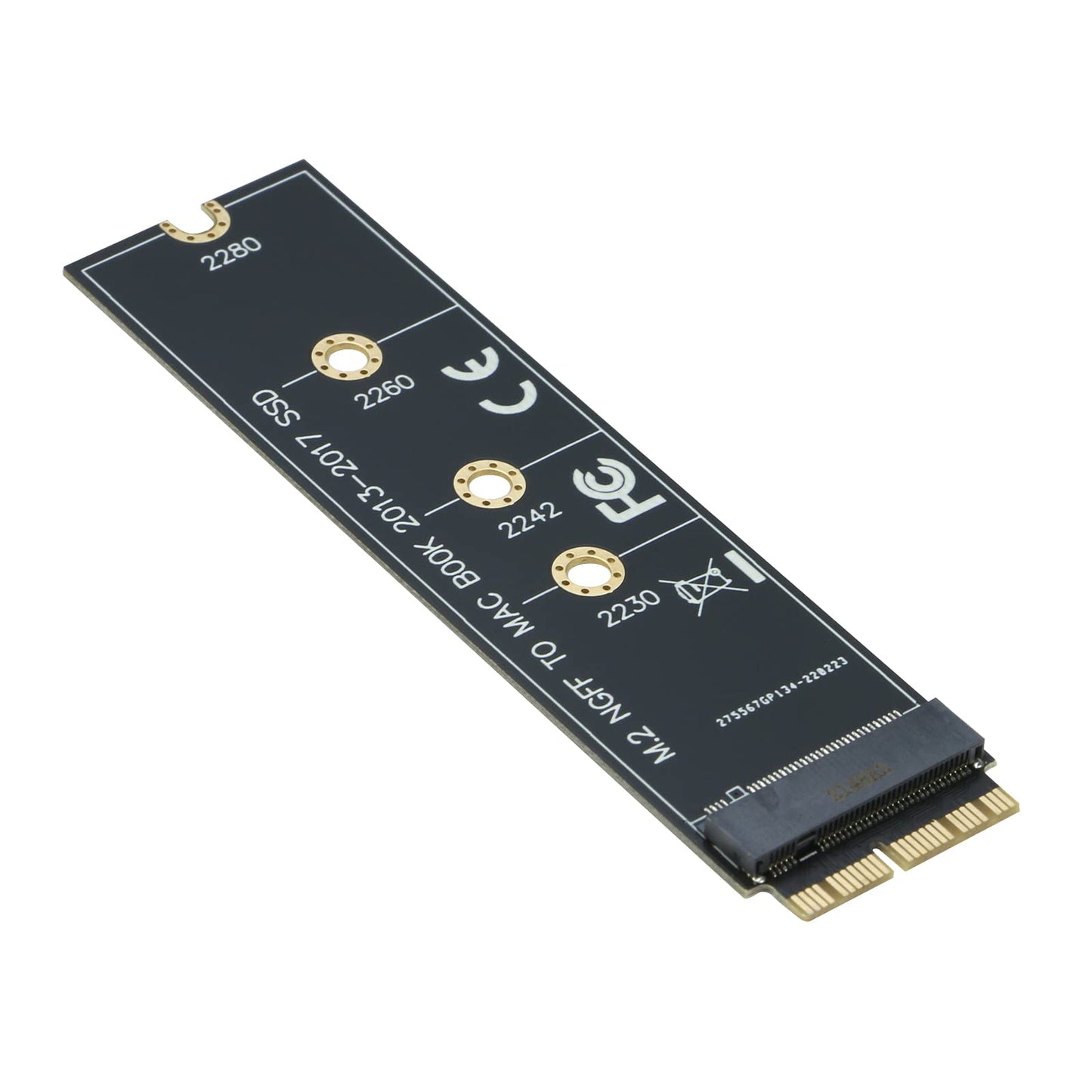


RIITOP M.2 NVMe SSD to 12+16Pin Upgrade Adapter for MacBook Air (2013-2017 Year) A1465 A1466 and Mac Pro (Late 2013-2015 Year)
Available Offers
Pay Securely, Easily & Flexibly with Visa, Mastercard, Maestro, Amex, Union Pay, EPS,SEPA,Trustly,PayPal, PayPal Later,Klarna installment and Klarna invoice Payment
All purchases are protected with PayPal & Klarna Buyer Protection.
Free Shipping to All EU Countries
All products are shipped from our 🇩🇪 Germany and 🇪🇸 Spain Warehouses


Couldn't load pickup availability
- FREE 3-7 days delivery
- 30 Days Return Policy
- 24/7 customer service
- Premium warranty Up to 2 years
- 256 Bit SSL Certificate
- Paypal & Klarna Buyer Protection
- 100% Original Products
- Best Price
About the Product
RIITOP NVMe to 12+16 Pin SSD adapter is compatible with the following MacBook Models (Note: requires macOS 10.13.6 High Sierra or later) How to use: 1. Make sure to install the High Sierra on your original drive, so that a newer firmware is installed that can drive NVMe. 2. For your old driver, please do a full backup via Time Machine. 3. Create a High Sierra Installer on a bootable USB stick. 4. Open the Macbook and disconnect the battery while switching out the drive and make sure both adapter and new SSD sit snug. 5. Reconnect the battery before closing the shell. 6. Insert the Installer USB stick from step 2, and press the option key while the machine starts. 7. Finally, once it's up you can now go to the disk utils to format and install the MAC OS. Notice: 1. mac OS failed on resume from hibernating with some NVME SSDs. Please turn off laptop all the time instead of close the lid and go. 2. Please insert our adapter fully into SSD slot, A bootable USB disk(see third point) must be prepared with High Sierra to format M.2 SSD first, it can't support recover from internet. 3. There are many customers can use it, so we suggest you to try it again if your MAC can't detect nVME SSD.
Shipping And Return
Delivery is FREE for all orders.
Handling time: 2 - 48 hours (Full Line has to process your order and put all your items through its strict quality-control tests.)
Orders are delivered to our customers in around 3 - 5 days with private couriers only. We have a dedicated team to keep things moving quickly, and we will keep you updated on your order via SMS, email & WhatsApp.
All our products are shipped from our warehouses in Europe: 🇩🇪 Germany and 🇪🇸 Spain
Return Guarantee
For whatever reason, if you are unsatisfied with your order within 30 days, you can return it to us in new condition.
DOA Guarantee
If your item arrives damaged, please contact us within 5 days and provide clear and valid proof. Full Line will make compensation based on the damage situation
Missing/Wrong Items Guarantee
If you receive a parcel with missing, incorrect, or secondary packing items, please contact us within 5 days of delivery and provide the relevant proof. Full Line will make compensation based on the damage situation.